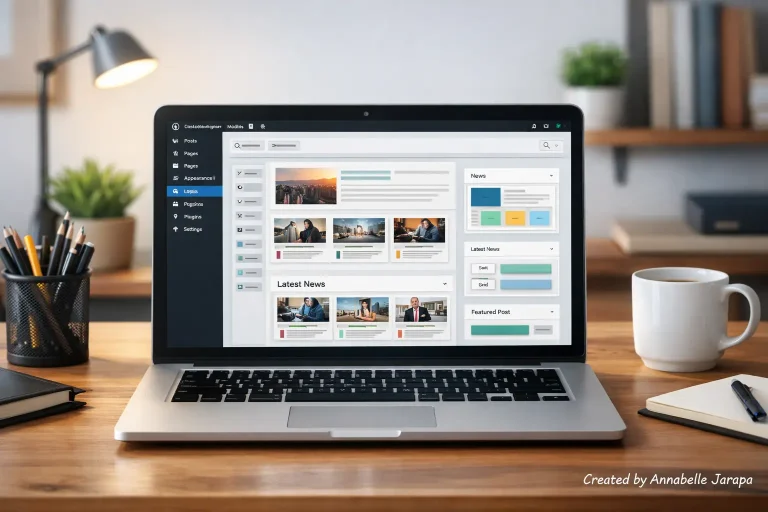
You don’t need a lot of money, technical know-how, or a developer on speed dial to start an online store anymore. Anyone can now build a fully functional eCommerce store for free using WordPress, as long as they know how to do it.
In my most recent YouTube video, I show you exactly how to build a free online store step by step, from setting up WordPress to opening a store that is ready to sell. This article goes along with that video and explains what you’ll learn, why each part is important, and when this setup is right for you.
👉 For the full visual walkthrough, watch the whole video below:
Build a FREE eCommerce Store (Step by Step)
This guide is for you if you are a beginner, a blogger, a freelancer, or a small business owner who wants to sell things online without having to pay for them up front.
What This Free eCommerce Setup Is All About
This method is all about making a real, scalable eCommerce website with free tools that millions of WordPress users around the world trust.
You’re not making a demo or a small store. You are making:
- A real product catalog
- A working cart and checkout
- Payment-ready store structure
- A foundation you can grow later
What the YouTube Video Shows You
The video shows you how to do the following instead of reading a long technical tutorial:
- Setting up WordPress correctly
- Turning a normal website into an online store
- Adding products and store pages
- Making the site look professional without paid tools
- Preparing the store for real customers
This article explains why those steps work, not just what to click.
Why it makes sense to build a free eCommerce store today
A lot of people put off opening an online store because they think eCommerce costs a lot of money. That’s not the case anymore.
Main Reasons This Method Works
- No software cost. WordPress and core eCommerce tools are free.
- Beginner-friendly. No coding or technical knowledge required.
- Full ownership. You control your website, data, and products.
- Scalable. Start free, upgrade only when needed.
You don’t have to pay high commissions or follow platform rules like you do with marketplace platforms. Your store is your property.
Who should use this free method for online shopping?
This setup is perfect for you if you are:
- A beginner starting your first online business
- A blogger wanting to sell digital or physical products
- A local business owner testing online sales
- A freelancer selling services, courses, or downloads
- Someone validating a business idea before investing money
This is the best place to start if you want to learn how to do eCommerce the right way without putting your money at risk.
What You Need to Know Before You Start (Easy and Useful).
A few things you should know before you build your store will help you get it done faster:
Things You Need
- A domain and basic hosting (budget-friendly options work)
- A WordPress installation
- A clear idea of what you want to sell
Helpful, but not necessary
- Product images (can be simple at first)
- Basic product descriptions
- Logo or brand name (you can refine later)
The video shows you how to keep going even if you don’t have everything ready yet.
How to Use WordPress to Run a Free Online Store
This whole thing is built on WordPress. It can be changed to fit your needs, is widely supported, and is made to grow with your business.
Why WordPress Is the Best Choice for eCommerce
- Works with free and premium tools
- SEO-friendly structure
- Thousands of themes and plugins
- Easy content + product management
- Strong community support
You’re not just putting up a store; you’re also setting up a business for the long term.
What Happens Inside the Store.
Instead of repeating the tutorial, here is what happens conceptually when you follow the video.
Store Foundation
- Your website is converted into an eCommerce-ready platform.
- Essential store pages are created (shop, cart, checkout, account).
Product System.
- Products are set up correctly for prices, pictures, and stock.
- Categories and organization make navigation easy.
Customer Experience
- Visitors can browse, add to cart, and checkout smoothly.
- The store layout builds trust and clarity.
📌 The YouTube tutorial makes everything about the setup process and visuals very clear: https://www.youtube.com/watch?v=LdvjCy88iU8&t=10s
Clearing Up Common Misunderstandings About Free eCommerce Stores
“Free stores don’t look professional”
Not true. With the right theme and layout, free stores can look clean, modern, and trustworthy.
“Free means limited”
The main features, like the products, cart, and checkout, all work. You only upgrade when your business gets bigger.
“It’s too hard for beginners.”
This setup is made just for people who aren’t tech-savvy. The video shows everything in pictures.
When is the best time to make a free eCommerce store?
Timing is important. This method is great when
- You want to start now, not “someday”.
- You’re testing a product idea.
- You don’t want to risk money upfront.
- You want hands-on experience with real tools.
Waiting for “perfect conditions” often delays progress. This method lets you start small and improve over time.
What You Can Expect to Happen?
After watching the video, you will have:
- A live eCommerce website.
- A working product system.
- Confidence using WordPress for selling.
- A base you can customize and scale.
Most importantly, you’ll learn how eCommerce works in real life, not just in theory.
Frequently Asked Questions
Is this eCommerce store really free?
The core setup uses free tools. Hosting and domain may have minimal costs, but no paid eCommerce software is required.
Can I sell both physical and digital products?
Yes. The setup can handle physical goods, digital downloads, and even services.
Is this good for business in the long run?
Of course. A lot of successful stores start out for free and only add new features when they make more money.
Do I need to know how to code?
No. The visual interface of WordPress does everything.
Can I change the design or add to it later?
Yes. That’s one of the best things about WordPress.
Final Thoughts: Watch, Build, and Launch with Confidence
It’s no longer hard or dangerous to set up a free online store. With the right help, you can start a real online store, even if you’ve never done it before.
This article tells you why and what. The best way to understand how is to see it.
🎥 You can find the full step-by-step tutorial here: Build a FREE eCommerce Store (Step by Step)
Start building today!
You might be interested in these related articles:
- FREE Elementor Templates: Build E-Commerce, Blogs & More
- SEO-Optimized Product Pages
- How to Build Stunning Website Using Only AI
If this helped you, consider subscribing to my YouTube channels.
- Preet Tech Ideas (English)
- Preet WebXP (Hindi)
And if you want professional help building or scaling your eCommerce website, feel free to contact my agency.
Website: Preet Web Vision
Phone: +63-9633112000
Email: inquiry@preetwebvision.com
Start with the basics. Build in a smart way. Grow with confidence.