Add product options that are flexible without spending a peso.
A lot of WooCommerce store owners want to know, “How can I add extra product options like checkboxes, dropdowns, or custom fields without having to pay for expensive plugins?”
This guide is for you if you’ve been stuck with WooCommerce’s default product settings and want more options without paying more.
In this free WooCommerce Extra Product Options Tutorial, I’ll show you what the solution is, how it works, and why you should use it. The full step-by-step process will be in the video, where it’s easier to follow.
👉 You can watch the whole tutorial below:
WooCommerce Extra Product Options Tutorial (No Cost!)
The video shows you step by step how to set everything up, which is great if you’re new to this.
What are the extra product options in WooCommerce?
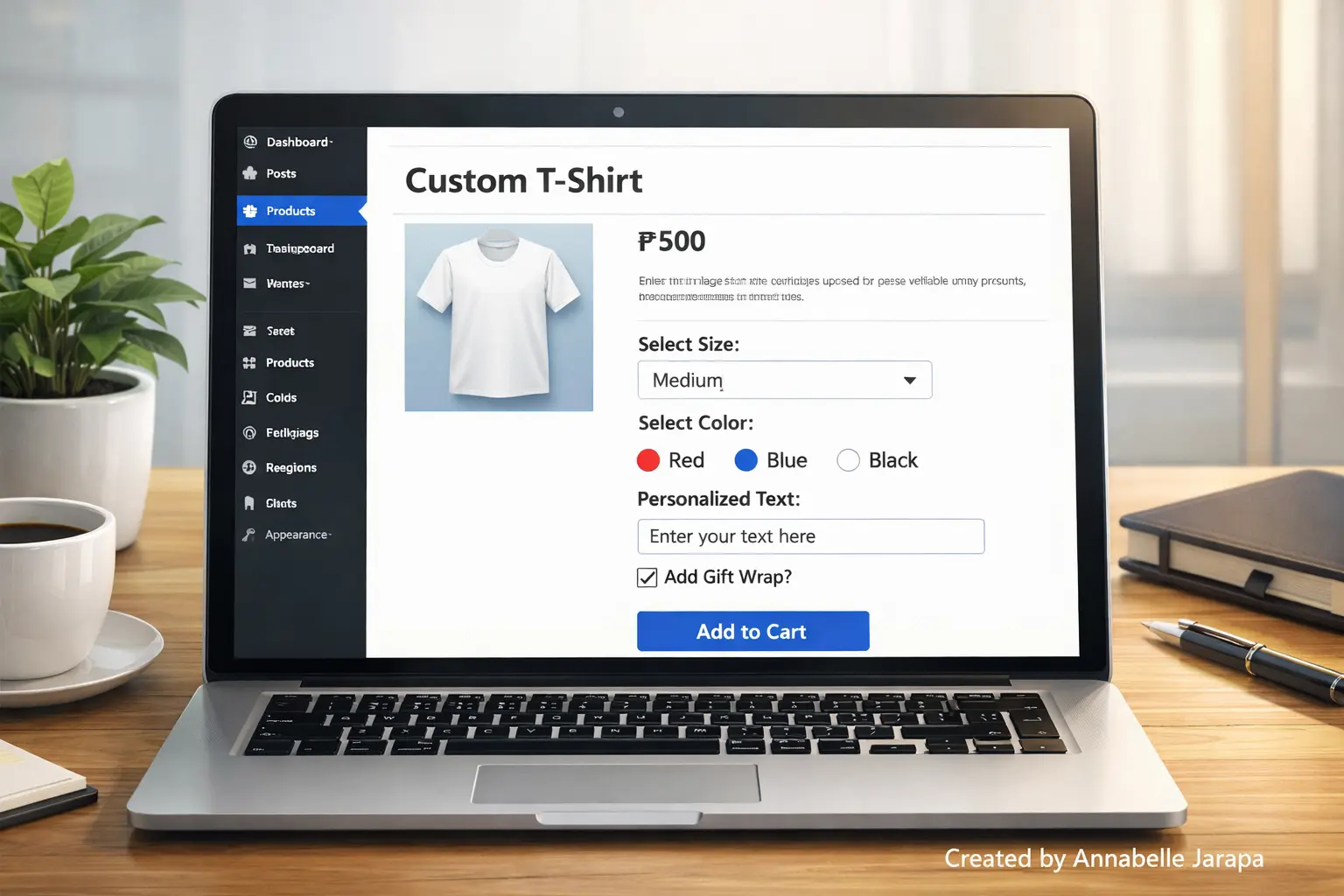
WooCommerce only lets you show basic product information by default, such as price, description, and options like size and color. But a lot of online stores need more freedom, like:
- Gift message fields
- Custom text inputs
- Additional service checkboxes
- Optional add-ons
- Selection-based pricing options
This is where more choices for products come in.
Customers can customize products before adding them to their cart with extra product options. This makes your store more flexible, professional, and easy to use.
Why This Guide Is About a Free Solution
A lot of WooCommerce add-on plugins cost money every month or year. Paid tools can be helpful, but not every store needs them, especially if you’re just starting out.
In the video tutorial linked below, you will learn how to:
- Add more product options without having to pay for premium plugins.
- Choose tools that are easy for beginners to use.
- Stay away from setups that are too big and slow down your site.
This makes it great for:
- New stores on WooCommerce
- Small businesses
- Side jobs and new businesses
- Bloggers who sell things online or in person
What You’ll Learn in the Full Video Guide
The full technical walkthrough is in the video so that this article is easy to read and understand. But here’s what you can expect to learn from watching it:
- How to add more product options to WooCommerce
- Where you can find these choices on the product page
- How customers talk to them
- How choices change the shopping experience
- Common mistakes beginners make and how to avoid them
🎥 The video shows the full explanation, which makes it much easier to understand than just reading it.
👉 Click here to watch: Adding Extra Product Options in WooCommerce
Why It’s Better to Watch the Video Than to Read a List of Steps
Settings, layouts, and real-time previews are some of the extra product options that are much easier to understand when you can see them in action.
You can do the following by watching the tutorial:
- Stop and follow along
- See where to click exactly
- Know how changes show up on the product page
- Don’t make mistakes when setting things up.
The video makes things clear and gives you confidence instead of making you guess from written steps.
Things you need and tools you need to get ready before watching
Before you start the tutorial, make sure you have the following things ready:
- A site made with WordPress
- WooCommerce has been set up and is now active.
- One product made at least
- Access to your WordPress dashboard as an admin
- A few minutes to follow along with each step
You don’t need to know how to code.
Why You Should Add More Product Options to WooCommerce
Adding more product options can make your store work better and be more enjoyable for customers.
1. A better experience for customers
Customers can easily customize products without having to call support.
2. Higher Conversion Rates
People are more likely to buy something when they find exactly what they need.
3. Less confusion about orders
Clear choices cut down on messages going back and forth and mistakes in orders.
4. A more professional look for the store
Compared to other stores, yours looks more modern and adaptable.
5. No Extra Charge
The tutorial is open to everyone because it only uses free tools.
This Tutorial Is Great For
This tutorial is great for you if:
- A person who is new to WooCommerce
- Having a small online store
- Selling products that can be changed
- Looking for free options
- Building an eCommerce store on a budget
The video tutorial is worth watching if any of these apply to you.
Sign up for more WordPress and WooCommerce tutorials
If you like this tutorial, please subscribe to my YouTube channels for more easy-to-follow guides for beginners:
📺 Preet Tech Ideas
📺 Preet WebXP
By subscribing, you’ll get the latest tutorials and free resources.
Do you need professional help? We’re here for you.
If you’d rather have a professional set up, customize, or fix your WooCommerce store, don’t hesitate to get in touch:
🌐 Website: Preet Web Vision
📞 Phone: +63-9633112000
📧 Email: inquiry@preetwebvision.com
Getting professional help can save you time and money, whether you need a small fix or a whole new website.
Watch the Full WooCommerce Extra Product Options Tutorial
This article gives you the overview—but the real value is inside the video.
👉 Click here to see the full step-by-step guide: https://www.youtube.com/watch?v=H8XpzRfV5lc
Don’t forget to like the video, subscribe to the channel, and turn on notifications for more tutorials in the future.
You might also like these articles:
- Customize Your WooCommerce Cart Page With Elementor Free
- Build a FREE eCommerce Store (Step by Step)
- Best WooCommerce Plugins for WordPress (2025 Guide)
- WooCommerce Multi-Currency Setup Guide (2025)
These articles will help you make your WooCommerce store even better.
Let Us Know What You Think
Do you have questions about WooCommerce’s extra product options?
Have you already tried the tutorial?
💬 Please leave a comment here or on the YouTube video. Your feedback helps us make better tutorials and helps other people learn as well.